 PetCare Tracker
Health log and feeding
Short notes now are exactly what the vet asks about later. A line is plenty.
1Weight and symptoms
In the pet’s profile tap Health log (or the Weight chip). Under Quick log tap Weight, enter the weight in kg and Save weight. The chart shows the trend once you have a couple of entries.
Symptom opens a short note: What did you notice? Mark it as Something to watch or Doing well and Save note.
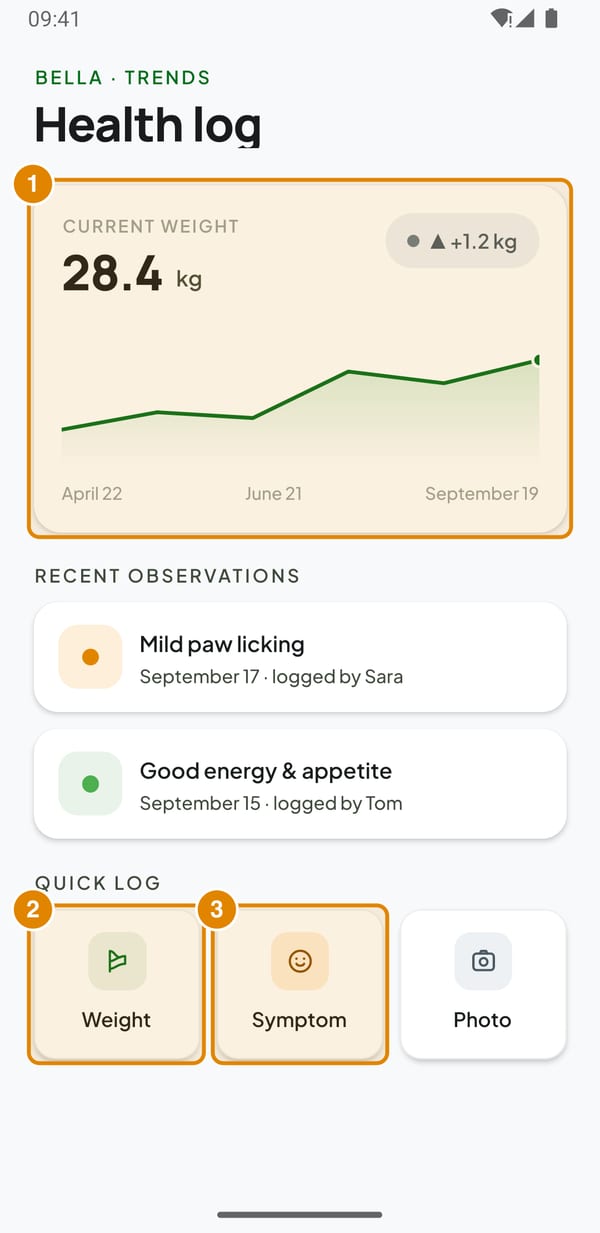
- Current weight – Trend from all logged weights
- Weight – Log a new weight
- Symptom – Write a note, optionally with a photo
2Add a photo to the note
In the note tap Add a photo → Take a photo or Choose from library. A picture of a rash or a wound helps the vet a lot.
To remove a note, hold it in Recent observations.
3Feeding plan
In the profile tap Feeding → Set up meals (or Edit feeding plan). Add meals with + Add meal – name, time and portion – and fill in the Current food. Changes save automatically; tap Done when finished.
Every day, tap a meal in Meals today to mark it fed. It shows the time and who fed it.
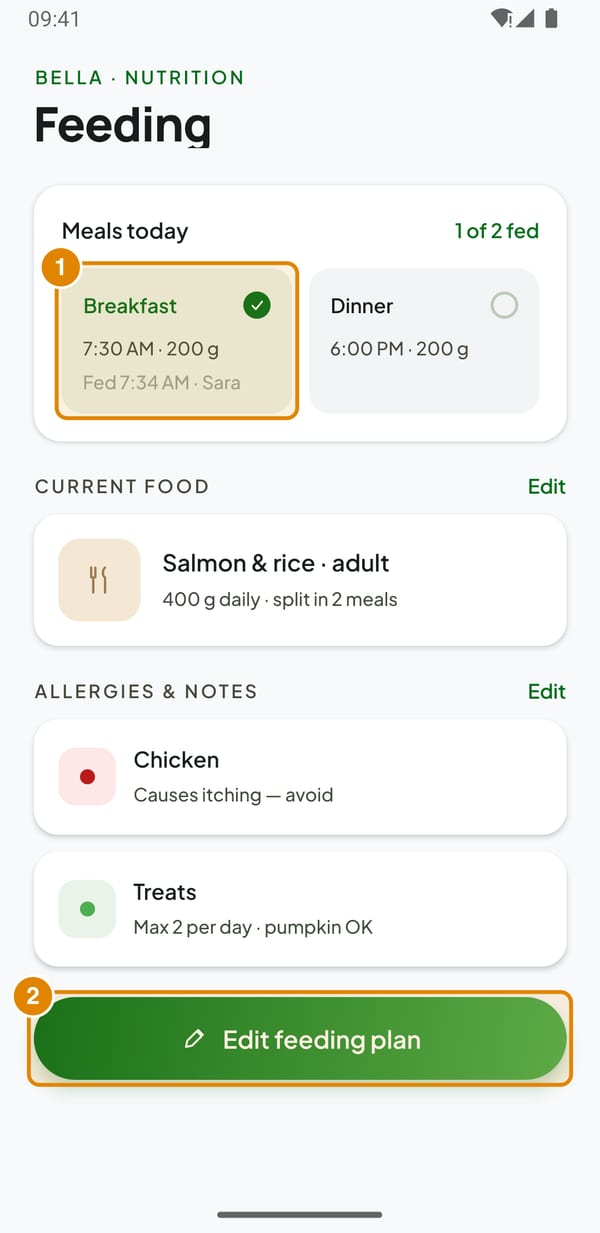
- Meal – Tap to mark it fed (tap again to undo)
- Edit feeding plan – Meals, portions, food and allergies
4Allergies
In the feeding plan under Allergies & notes type the allergen (e.g. Chicken) and a note. Switch on Serious reaction for a dangerous one – it then appears as a red Critical banner on the emergency card and is marked as serious in the PDF record.