 PetCare Tracker
Medications and reminders
Every medication has its own schedule and reminders. Once you set the pack size, the app also counts down the supply.
1Add a medication
Open the pet’s profile and in the Medications section tap + Add. Alternatively go to the Pets tab → Manage → Add medication.
Fill in the Medication name and Strength (e.g. 16 mg). Tap Form to switch between Tablet, Chew, Capsule, Liquid and Topical, and check the Instructions (e.g. “half a tablet, 2 ml”).
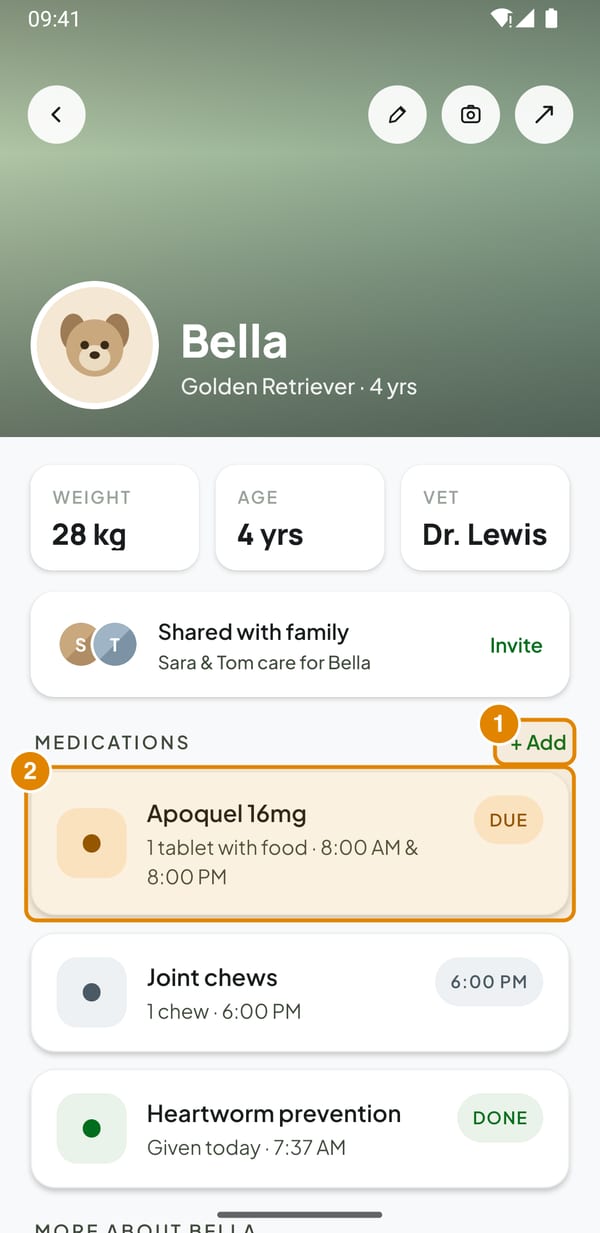
- + Add – New medication for this pet
- Medication – Opens the medication detail
2Set the schedule
Under How often choose Daily, Weekly (then pick the days Mon–Sun) or As needed, which has no reminders.
In Reminder times set when the dose is due; + Add time adds another one, × removes it. Switch on Take with food if it applies, then tap Save medication.
Tip: Each reminder time must be different – the app warns you if a time is listed twice.
3Track the supply
Open the medication and tap the pencil. Enter the Pack size (e.g. 60) and Save changes. From now on every dose marked as given takes one off the supply.
The Supply remaining card shows how many are left and for roughly how many days. With 7 days or less it turns Low.
Adherence is the share of recorded doses that were actually given.
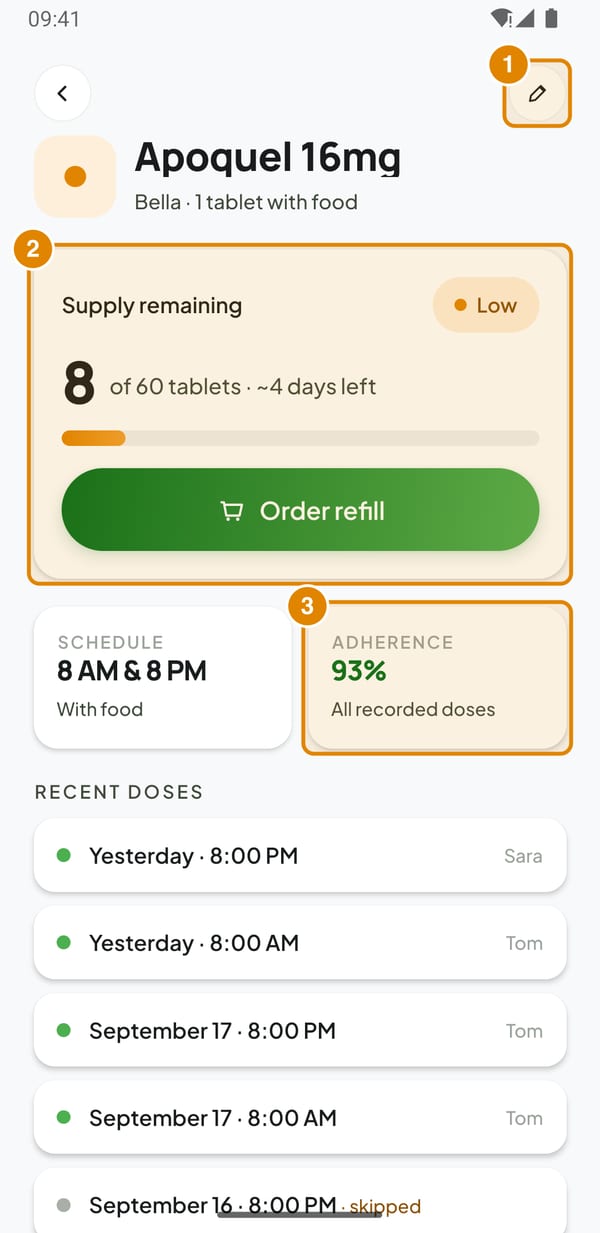
- Edit – Change the schedule or set the pack size
- Supply remaining – Appears once a pack size is set
- Adherence – Share of recorded doses that were given
4Refill
Order refill on the medication (or Manage → Refills) lists what is Running low. After a pharmacy run tap Refill to reset the count to the pack size, or adjust it with the stepper and tap Mark as restocked.
PetCare does not order anything – it only keeps count for you.
5Pause, change or delete
In Pets → Manage each medication has a switch that pauses it; paused medications have no reminders. Weekly schedule shows all doses of the week day by day.
To change times or dose, open the medication → pencil. Delete medication removes it together with its whole dose history, which also changes the adherence figures.